Securing Smart Access: Integrating Microsoft Entra Verified ID with Azure IoT Hub and Home Assistant
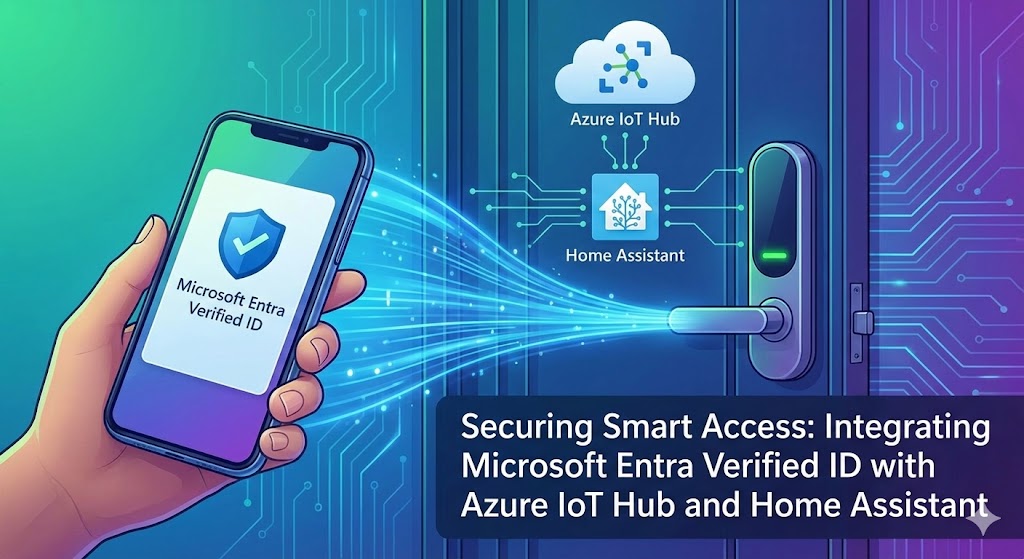
Building a Zero-Trust Door Access System with Verifiable Credentials
In this post, we’ll explore how to create a secure, decentralized access control system that combines Microsoft Entra Verified ID with Azure IoT Hub to unlock smart doors via Home Assistant. This solution demonstrates how verifiable credentials can bridge identity verification with physical access control in a zero-trust architecture.
The Challenge
Traditional access control systems rely on:
- Physical keys — easily lost or copied
- PIN codes — often shared and forgotten
- Complicated and expensive — temporary access and visitor credentials
- custom-developed protocols — old, vulnerable, and hard to adapt to new requirements
What if we could leverage decentralized identity and verifiable credentials to create a more secure, privacy-preserving access system? What if we could use protocol and not reinvent the wheel?
Why Verified ID?
- Open Standard: Built on top of the OpenID Connect and JSON Web Token standards
- Zero-Trust: Every access request requires cryptographic proof of identity
- Standards-Based: OpenID for Verifiable Credentials is an open standard
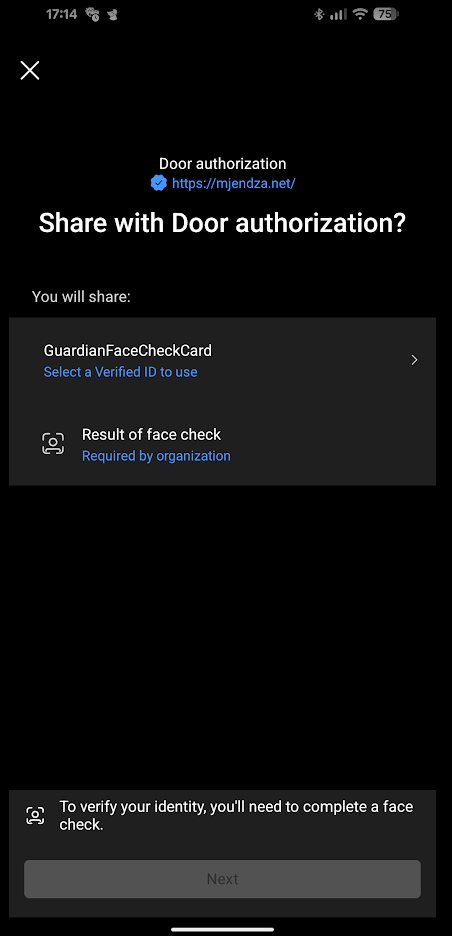
- FaceCheck: Biometric verification ensures the credential holder is present
- Audit Trail: Complete logging of all access events in Verified ID Audit Log, extensible with custom solutions
- Revocable: Credentials can be revoked at any time
- Easy to Use and Share: Credentials can be issued to employees or external users via a dedicated portal
- Temporary access: Issue, Present, and Revoke credentials for time-limited access
- Partner Access: Easy trust and control for partners and customers.
Solution Overview
Our architecture combines several Azure services and open-source technologies:
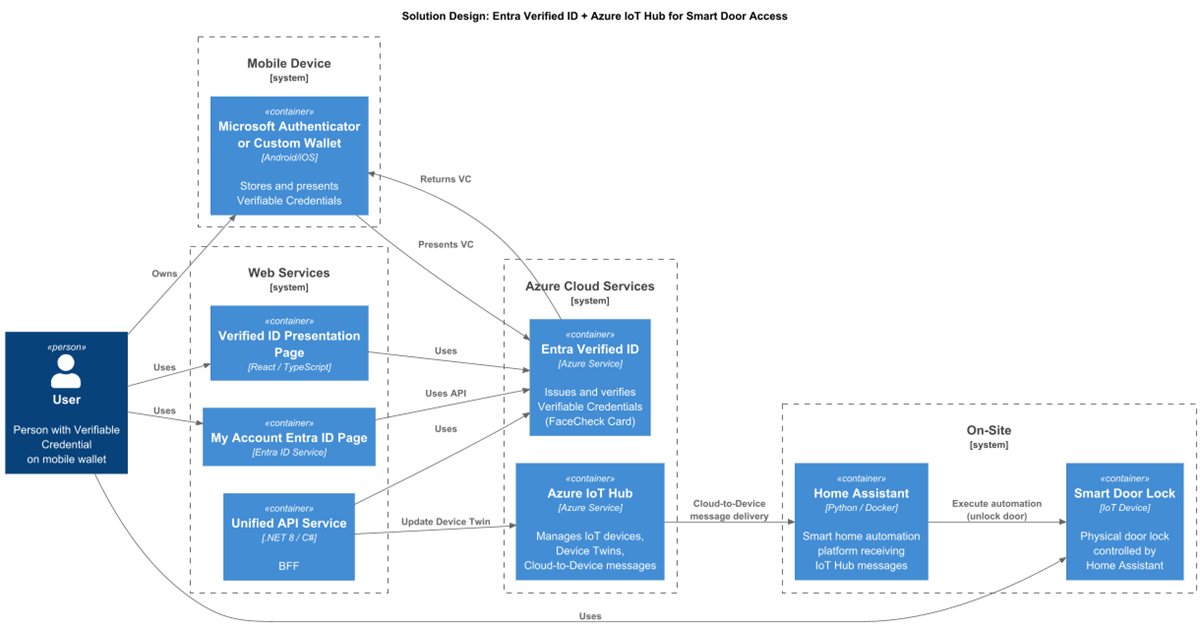
General UI Flow and Screenshots
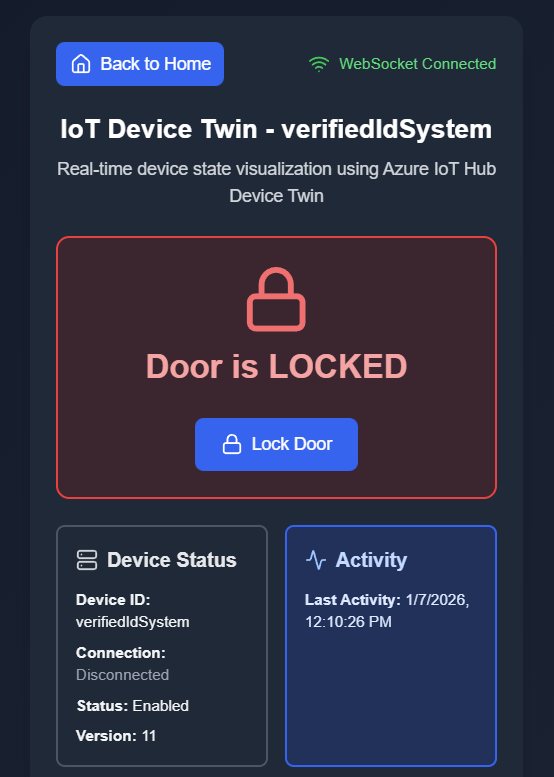
Custom Page to check Device Twin status:
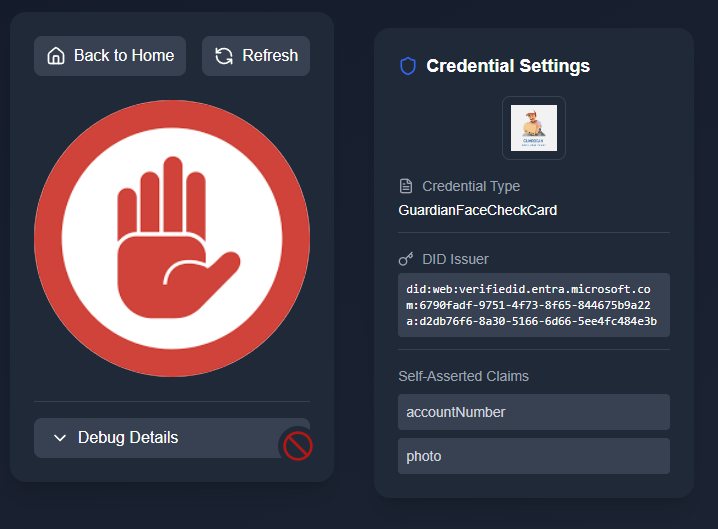
Build-in revocation
Solution Approaches
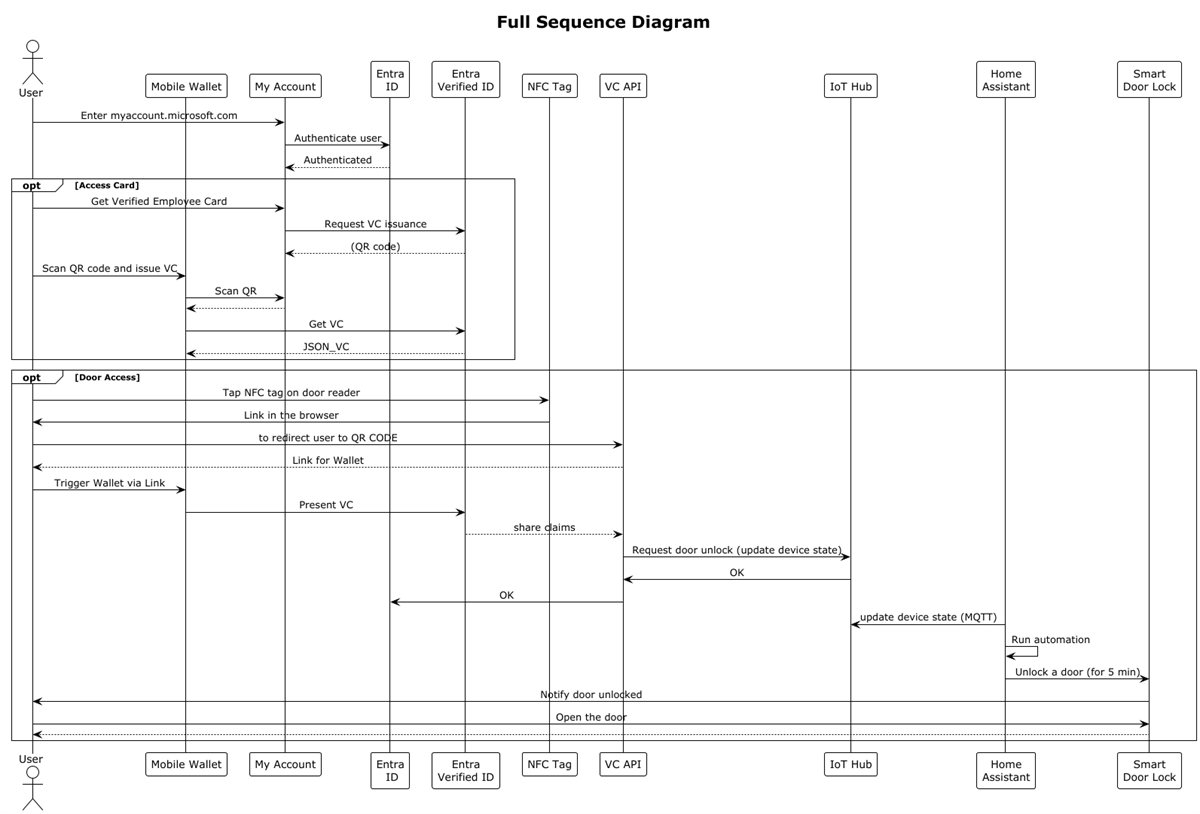
Solution 1: Verified Employee Access
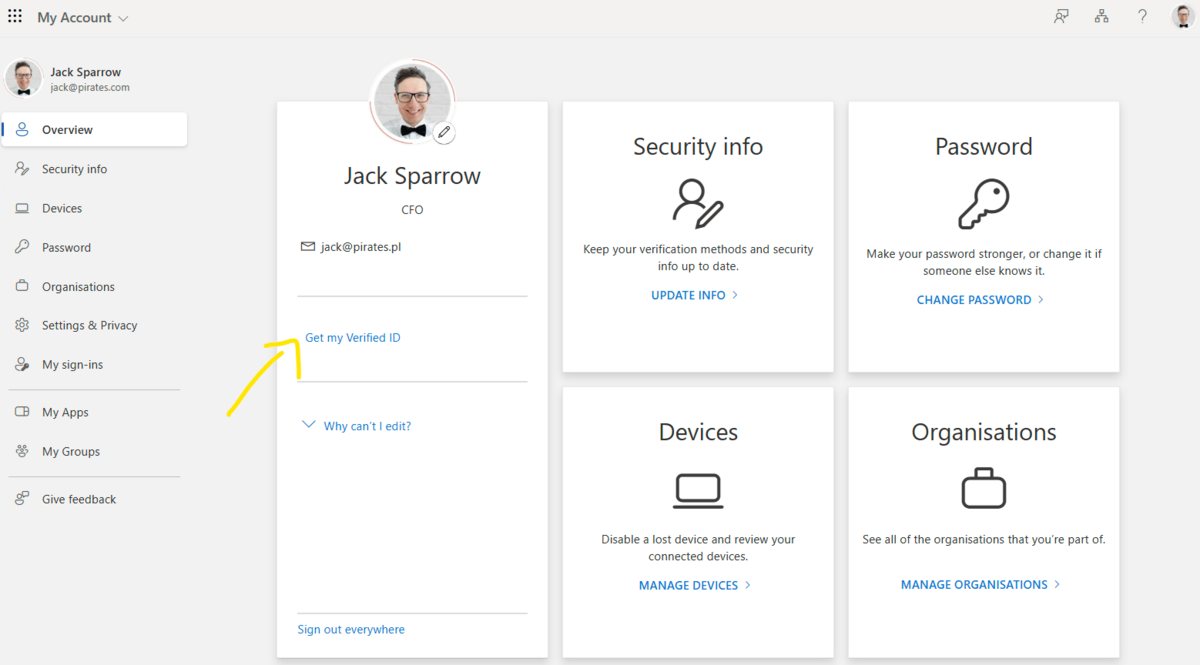
- Issue credentials – Employees receive Verified ID credentials through the Microsoft MyAccount portal.
- Authorize access – A unified API validates credentials and grants device access via SDK integration.
- Manage device state – Azure IoT Hub syncs door lock status with the building management system.
- Control physical access – Smart door locks respond to authorized credential presentations.
Flow Diagram
UI Flow and Screenshots
Custom Page to Issue Verified Employee.
Solution 2: Customer or Partner Access
- Authenticate users – Customers or partners sign in through a branded portal secured by Entra External ID.
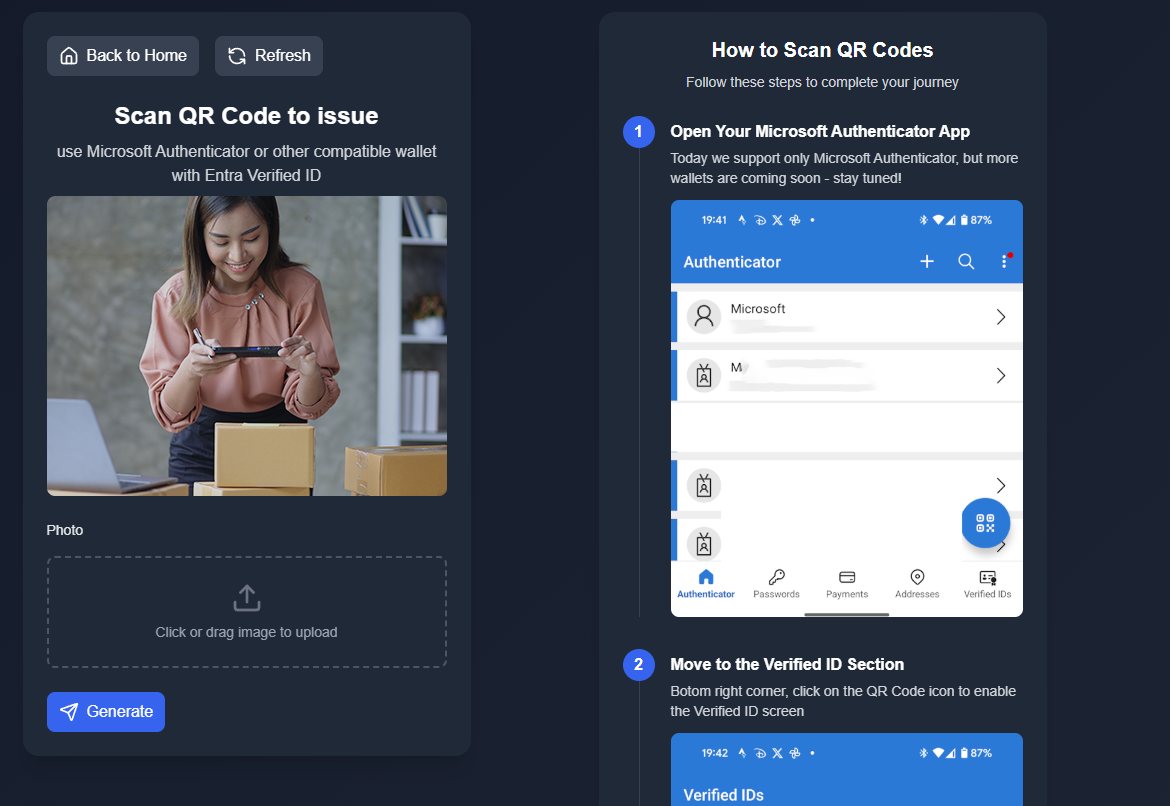
- Issue credentials – The portal issues Verified ID credentials to authenticated external users.
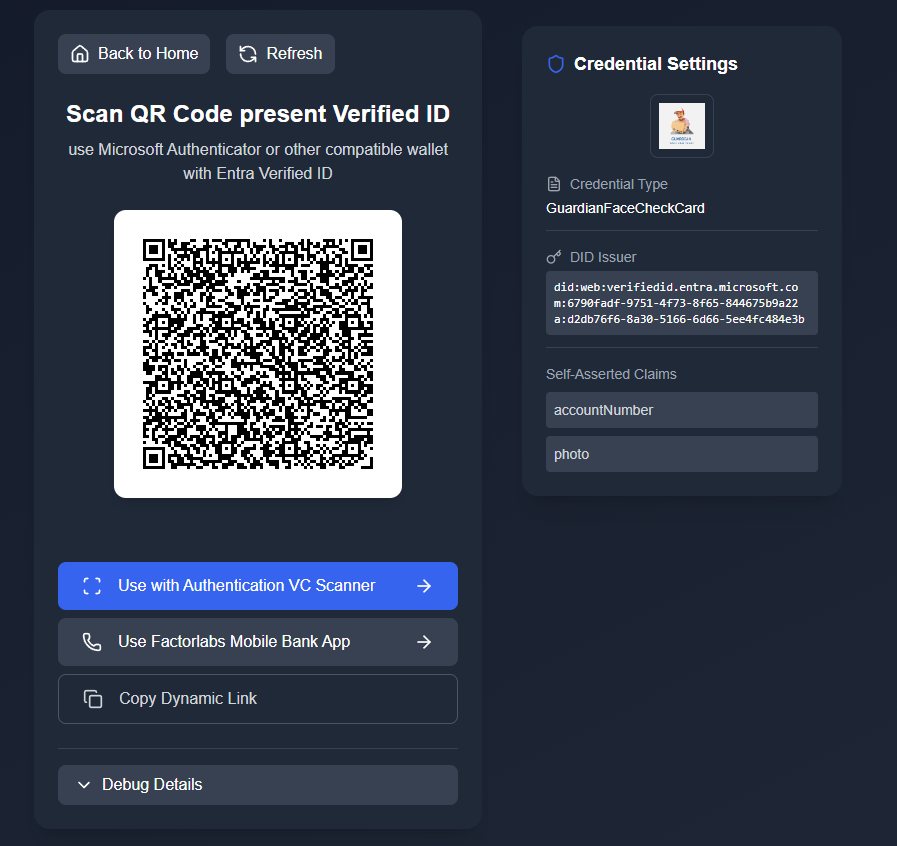
- Authorize access – A unified API validates credentials and grants device access via SDK integration.
- Manage device state – Azure IoT Hub syncs door lock status with the building management system.
- Control physical access – Smart door locks respond to authorized credential presentations.
UI Flow and Screenshots
Custom Page to Issue Verified ID Credentials with helper how to store it:
Custom Page to present Verified ID Credentials and unlock the door:
Possible Extensions
- Admin Panel to review Device Twin status
- Admin Panel to review Audit Logs
- Visitor Management for time-limited access credentials
- Visitor Automations for temporary access control
- Face Recognition to improve security
Ask for a face check (MS Authenticator):
Technology Stack
| Component | Technology | Business Purpose |
|---|---|---|
| Workforce Identity | Microsoft Entra ID | Manage employee authentication and access rights |
| Customer Identity | Microsoft Entra External ID | Manage external user authentication and self-service registration |
| Digital Credentials | Microsoft Entra Verified ID | Issue and verify tamper-proof access credentials |
| Backend Services | Azure App Service (.Net) | Process access requests and coordinate system components |
| Data Storage | Azure Cosmos DB | Store account information, credential metadata, and audit trails |
| Device Management | Azure IoT Hub | Monitor and communicate with connected access points |
| User Portal | Static Web Site (React/TypeScript) | Enable credential presentation and user self-service |
| Building Automation | Home Assistant | Bridge cloud services to on-premises door controllers |
| Smart Lock | Physical Device | Grant or deny physical entry based on validated credentials |
Summary
By combining Microsoft Entra Verified ID with Azure IoT Hub, we’ve created a modern access control system that:
- Eliminates traditional credentials — no keys, cards, or PINs to lose
- Provides cryptographic proof — open standards and zero-trust architecture
- Enables real-time monitoring — dashboard & audit log shows authorization and access events
- Integrates with existing smart home — works with the Home Assistant ecosystem via MQTT integration
What next?
This architecture can be extended to other use cases:
- Building/Security areas/Remote access control
- Secure equipment access
- Time-limited visitor access
- Access for partners or vendors
Resources
- Microsoft Entra Verified ID Documentation
- Azure IoT Hub Documentation
- Home Assistant Azure IoT Integration
- OpenID for Verifiable Presentations